
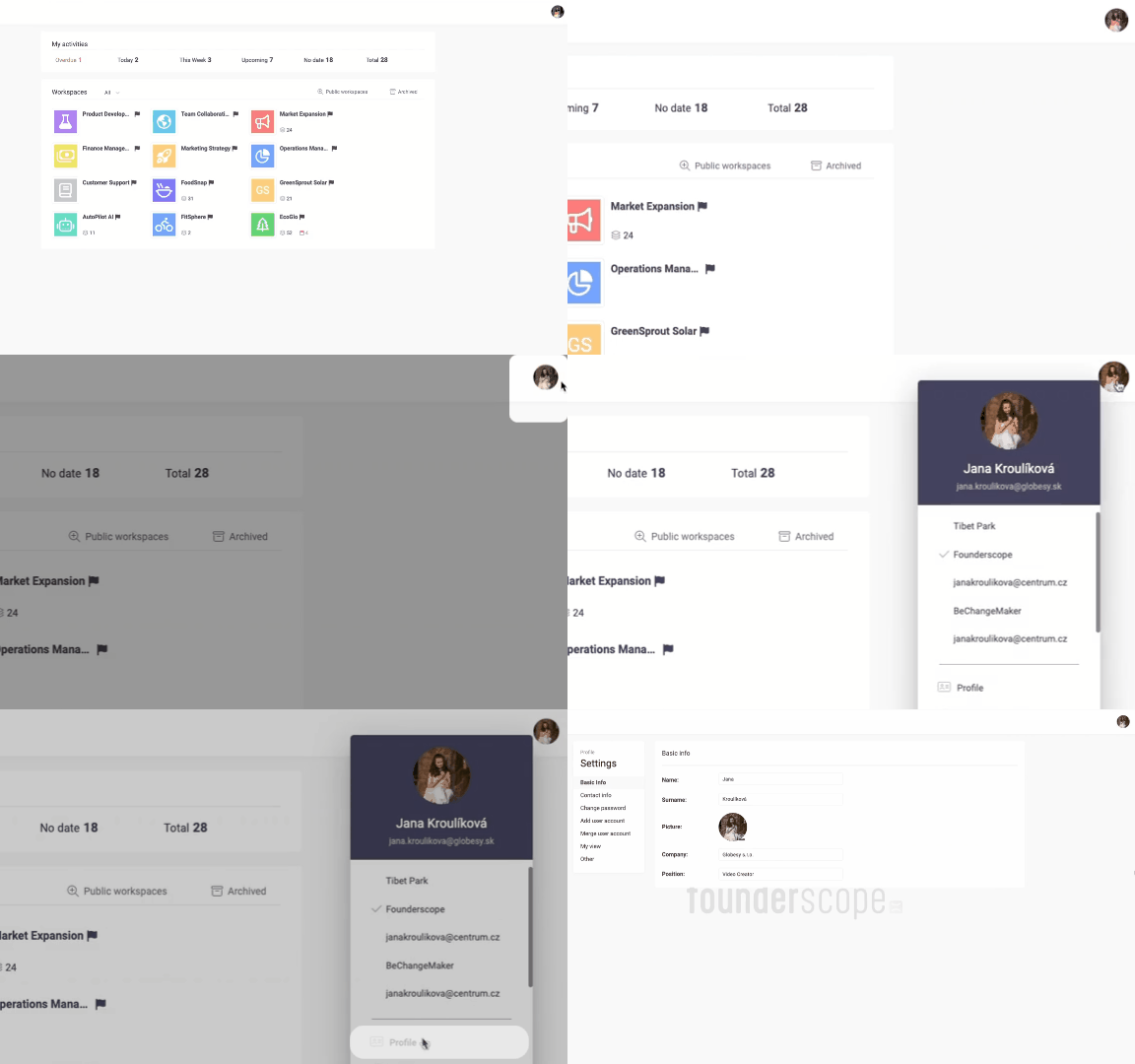
Your user profile in Beenia is your personal hub for managing settings, preferences, and workflow customization. Accessible from any workspace, simply click on your profile icon in the top right corner to open Profile Settings. Here’s what you can do and how it can enhance your productivity:
Key Features of the User Profile
Basic Info:
Update your name, surname, company, position, or upload a profile picture to keep your account professional and recognizable.
Contact Information and Password Management:
Add or update email addresses for account creation, notifications, or activity management. Change your password for enhanced security.
GTD Customization:
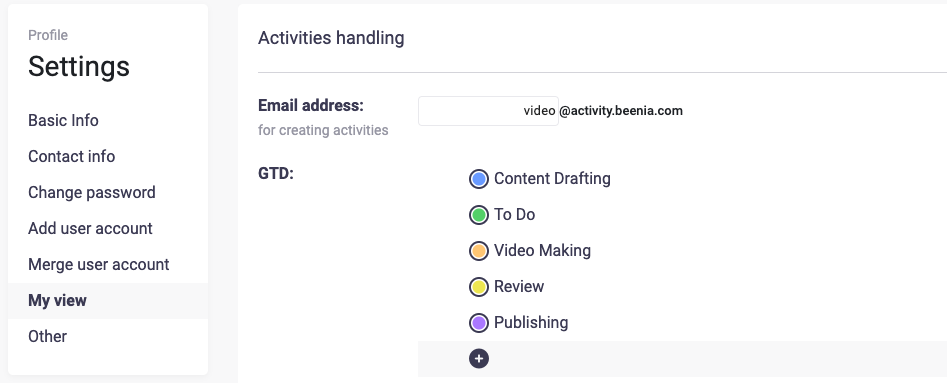
In the My View section, personalize your Getting Things Done (GTD) categories. Use default labels like Now, Next, Later, or Sometime, or create custom columns tailored to your workflow. These settings will directly reflect in the My View dashboard, displaying your assigned activities in an organized manner for maximum efficiency.
Activity Email Creation:
Generate a unique email for adding activities directly to your to-do list. Simply email tasks to your dedicated Beenia address (e.g., @activity.beenia.com), and they’ll automatically appear in your My View dashboard.
Account Integration:
Easily link and manage multiple accounts (e.g., Google, Facebook, Email) under the Add User Account or Merge User Account options.
Language Preferences and Notifications:
Switch your app’s language and toggle daily email notifications to stay updated on your tasks.
Zapier Integration:
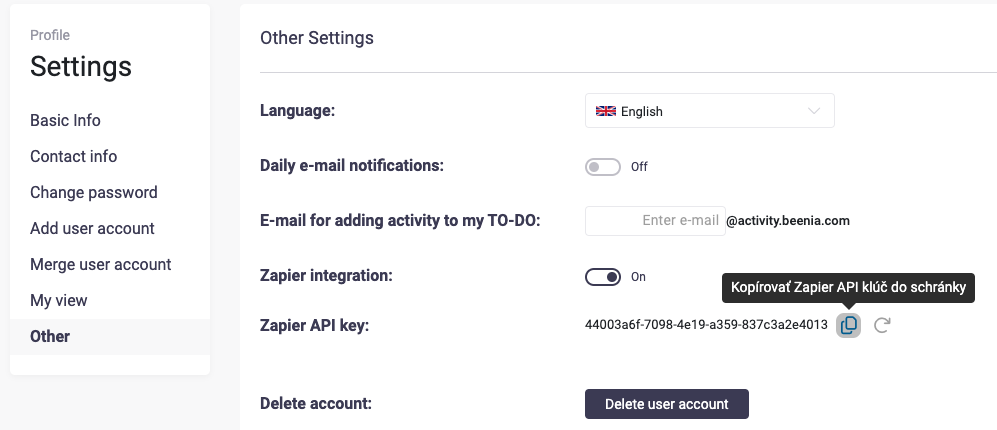
Enable Zapier integration to streamline workflows. Once activated, copy your Zapier API Key to connect Beenia with external apps and automate repetitive tasks.
Account Management:
If needed, you can delete your user account directly from the profile settings with a simple button click.
Practical Use Case: My View Dashboard
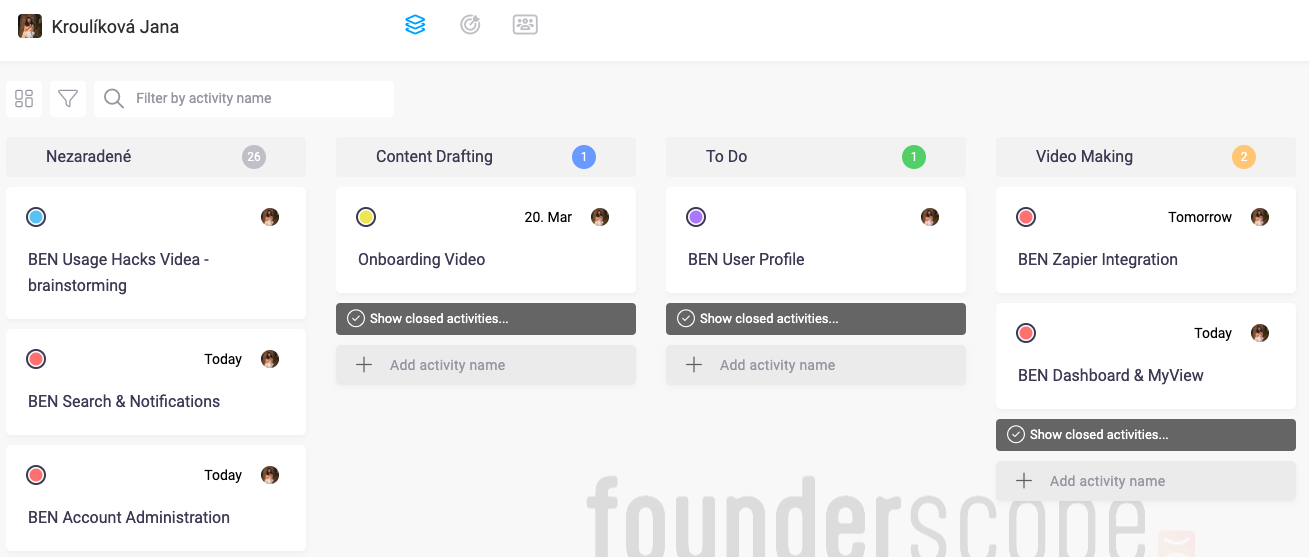
The My View dashboard is a game-changer for productivity. It organizes all activities assigned to your account into customizable columns. These columns reflect your GTD preferences, helping you prioritize tasks. For example, you can create columns for Urgent Tasks, Pending Approval, or Long-Term Goals. Additionally, filter views by workspace, priority, or other parameters to tailor the dashboard to your needs.
Conclusion
The User Profile in Beenia is more than just a settings page—it’s a central hub for personalizing your experience and optimizing how you manage tasks and activities. Take advantage of these features to make Beenia work for you and boost your productivity today!