
Tracking goal progress is essential to maintaining focus and ensuring your team stays on the right path. In Beenia, you can manually update goals or automate progress tracking using real-time data sources like HubSpot. Here’s how to do it efficiently.
Manually Updating Goal Progress
If your goal progress is based on internal tracking, you can update it manually:
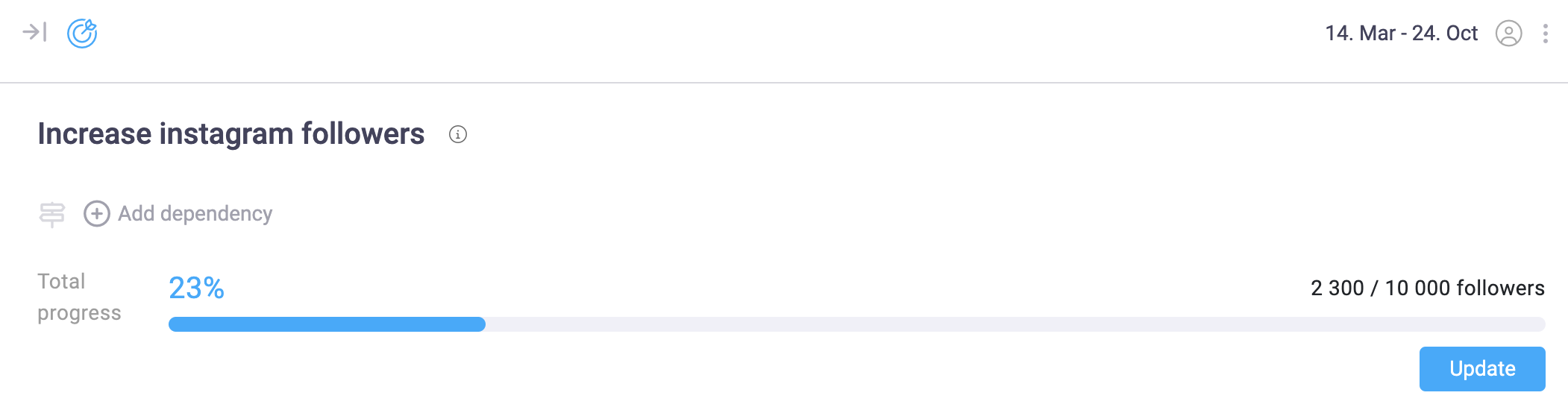
- Navigate to the Goals section in your workspace.
- Click on the goal you want to update.
- Adjust the progress bar by setting a new percentage.
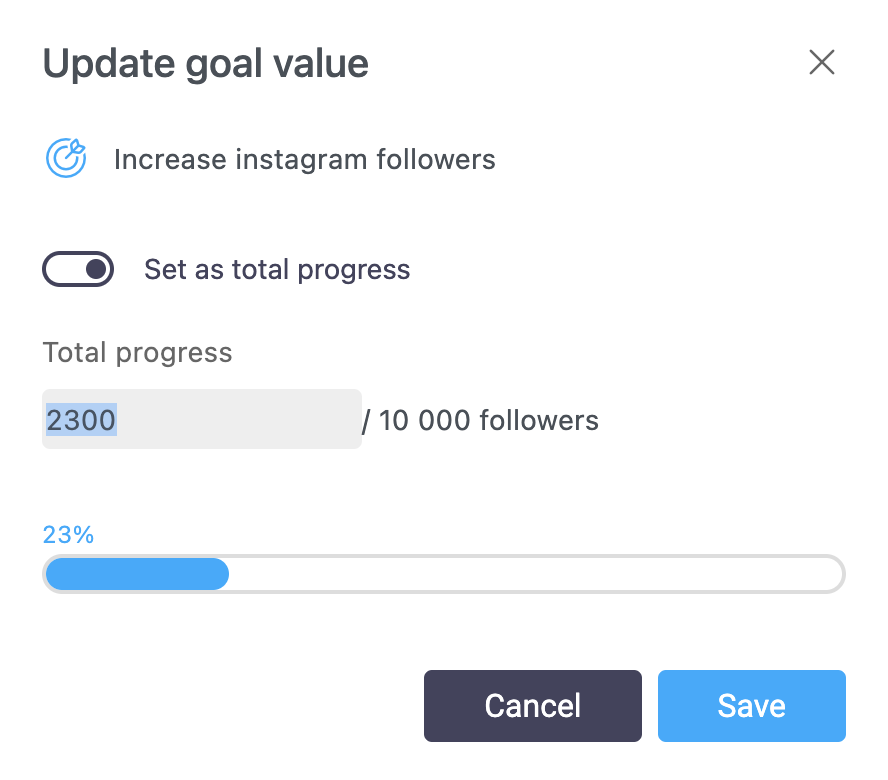
This method is useful when goals are based on qualitative milestones rather than numerical data.
Automating Goal Progress with Data Sources
For a more efficient tracking process, Beenia allows you to connect goals to external data sources like HubSpot. To set this up:
- Open the goal and navigate to Goal Settings.
- Click "Use external source" and select a data type (e.g., HubSpot contact lists or deal stages).
- Enter the data source ID to link it with Beenia.
- Enable automatic updates to keep progress aligned with real-time metrics.
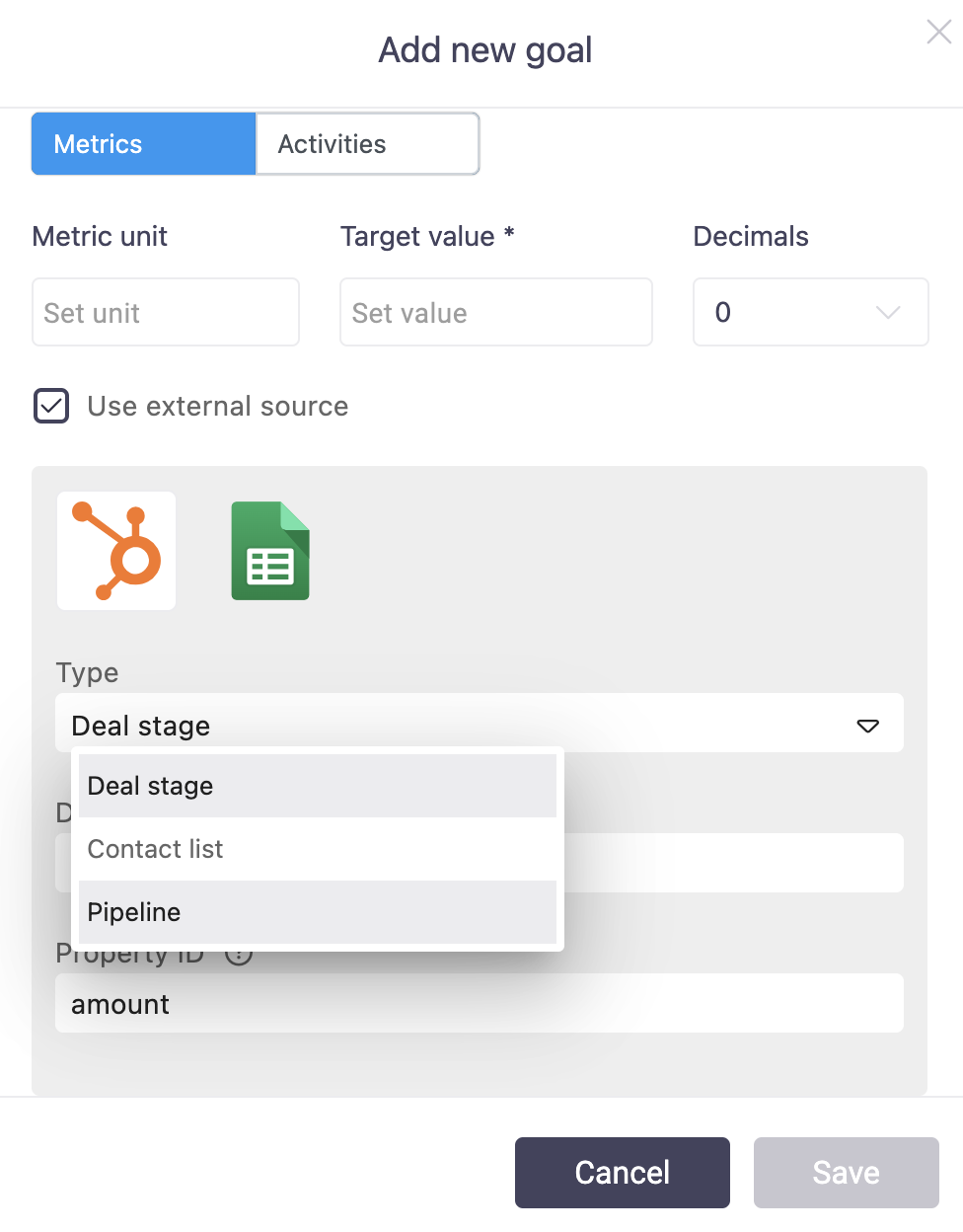
Once connected, Beenia will automatically pull updated data, keeping your goals current without manual input.
Tracking Progress with Activities
Goals in Beenia are closely tied to activities. As tasks are completed, progress updates automatically:
✔ Rule-based matching links activities to goals.

✔ Activity statistics show completed vs. pending tasks.
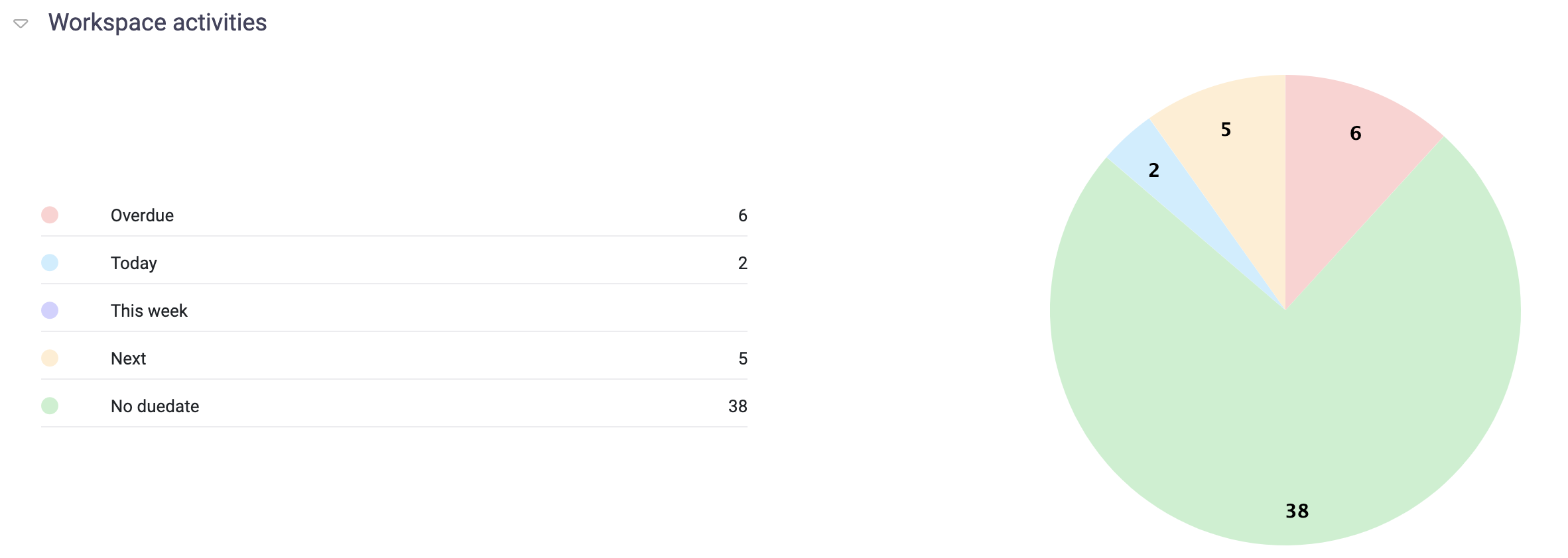
✔ Goal dashboards display overall progress in real time.
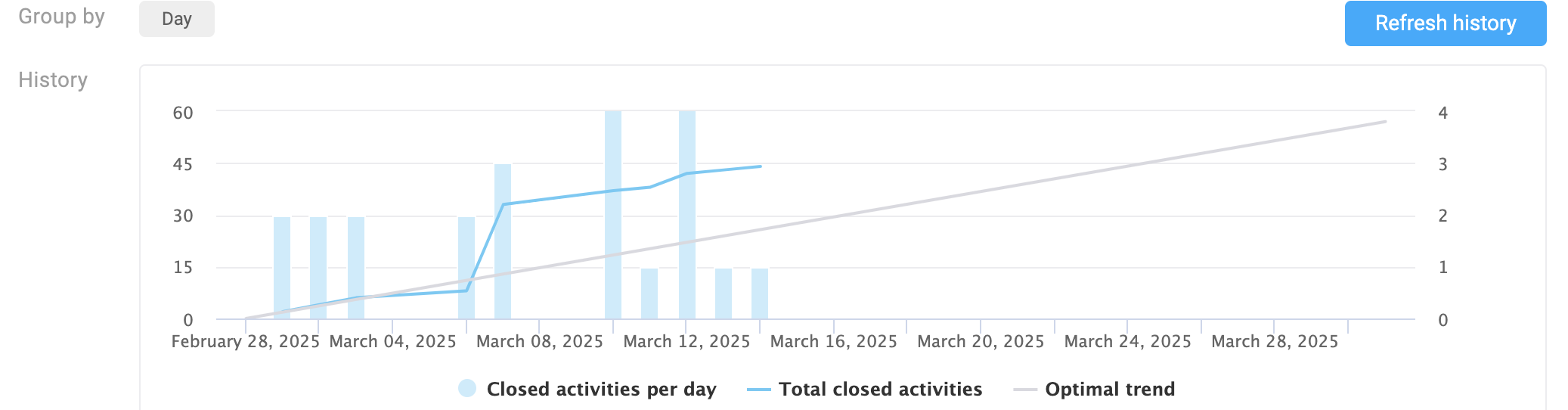
This ensures that your goals reflect actual work being done, allowing you to make informed decisions based on data.
Stay on Track and Adjust as Needed
Updating your goals regularly helps your team:
🚀 Stay aligned with priorities.
🔍 Identify roadblocks early.
✅ Celebrate progress and achievements.
With Beenia’s automated tracking, you save time, eliminate manual updates, and always have a clear view of where you stand.