
Tags in Beenia are a powerful way to organize and categorize activities across your workspaces. Whether you’re managing a single project or juggling multiple tasks, tagging helps you quickly filter, sort, and locate activities, ensuring nothing gets overlooked. Here’s how to use tags effectively and enhance your workflow.
1. Why Use Tags?
Tags act as flexible labels that can be applied to any activity. They allow you to group tasks by themes, priorities, or any other criteria that matter to your team. For instance, you might use tags like "Urgent," "Marketing," or "Research" to streamline activity management.
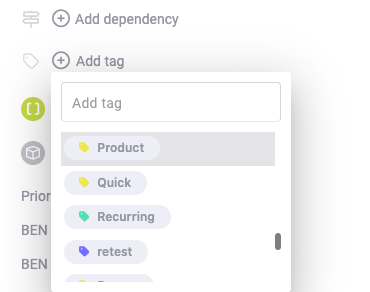
2. Adding Tags to Activities
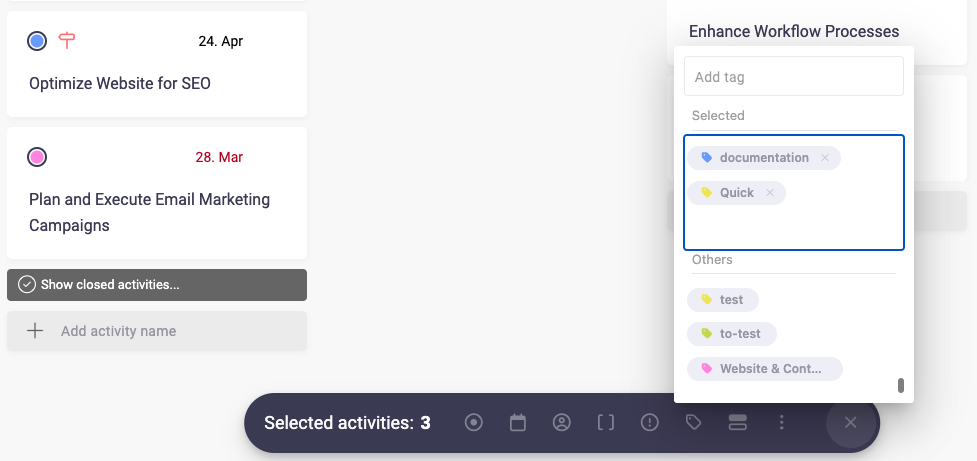
You can add tags to activities directly from the activity detail view. Simply click on the "Tags" field, select from existing tags, or create a new one. Tags can also be assigned in bulk using the mass editing feature, saving time when updating multiple tasks at once.
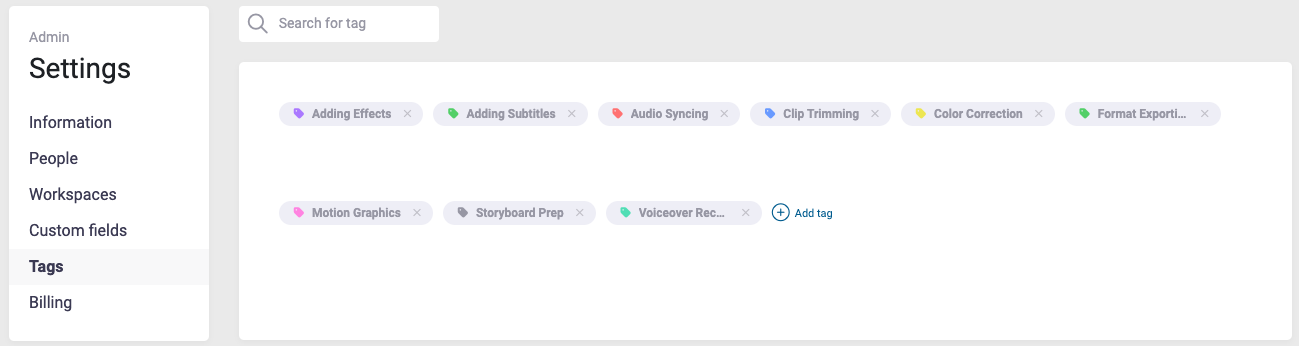
3. Creating and Managing Tags
Tags are customizable and can be tailored to your team's unique needs.
- Creating Tags: Navigate to your Account Administration and select "Tags." Add new tags by entering their name and, optionally, assigning a color for easy recognition.
- Editing Tags: Update tag names or colors to reflect changes in your project focus.
- Deleting Tags: Remove unused tags to keep your workspace clean and focused.
4. Using Tags for Filtering and Organization
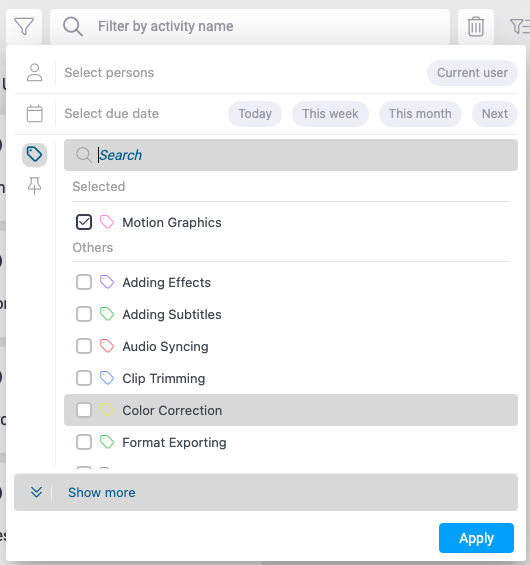
Tags become especially useful when paired with Beenia’s filtering options. Use tags to:
- Filter Activities: Quickly display tasks associated with a specific tag in the activity list or MyView.
- Group by Tags: Identify related tasks across workspaces and goals for a more organized view.
5. Collaborating with Tags
Tags in Beenia are visible to all team members within a workspace. This ensures everyone is on the same page and can easily identify the purpose or priority of an activity. For example, tagging activities with "High Priority" or "Client Feedback" ensures that your team knows what to focus on first.
6. Best Practices for Tagging
- Keep It Consistent: Establish a standard tagging system to avoid confusion.
- Use Descriptive Names: Tags like "Q1 Marketing Campaign" or "Product Launch Prep" are more effective than generic terms.
- Combine Tags: Apply multiple tags to an activity for greater specificity, such as "Urgent" and "Design."
By leveraging tags in Beenia, you can maintain a well-organized workspace, streamline communication, and improve task prioritization. Take a few minutes to set up your tagging system and experience the benefits of a more structured workflow today.