
Setting clear goals is essential for keeping teams aligned and ensuring that every action contributes to meaningful progress. Without structured goal tracking, priorities can shift, efforts may become misaligned, and it’s hard to measure real impact. Beenia makes goal management seamless by allowing teams to define objectives, link them to tasks, and track success—all in one place.

Why Set Goals?
Tracking goals helps teams stay motivated, accountable, and focused on execution. It provides a clear direction, improves collaboration, and ensures that decisions are backed by data. With real-time progress tracking, teams can quickly adjust strategies, optimize efforts, and stay on course toward their objectives.
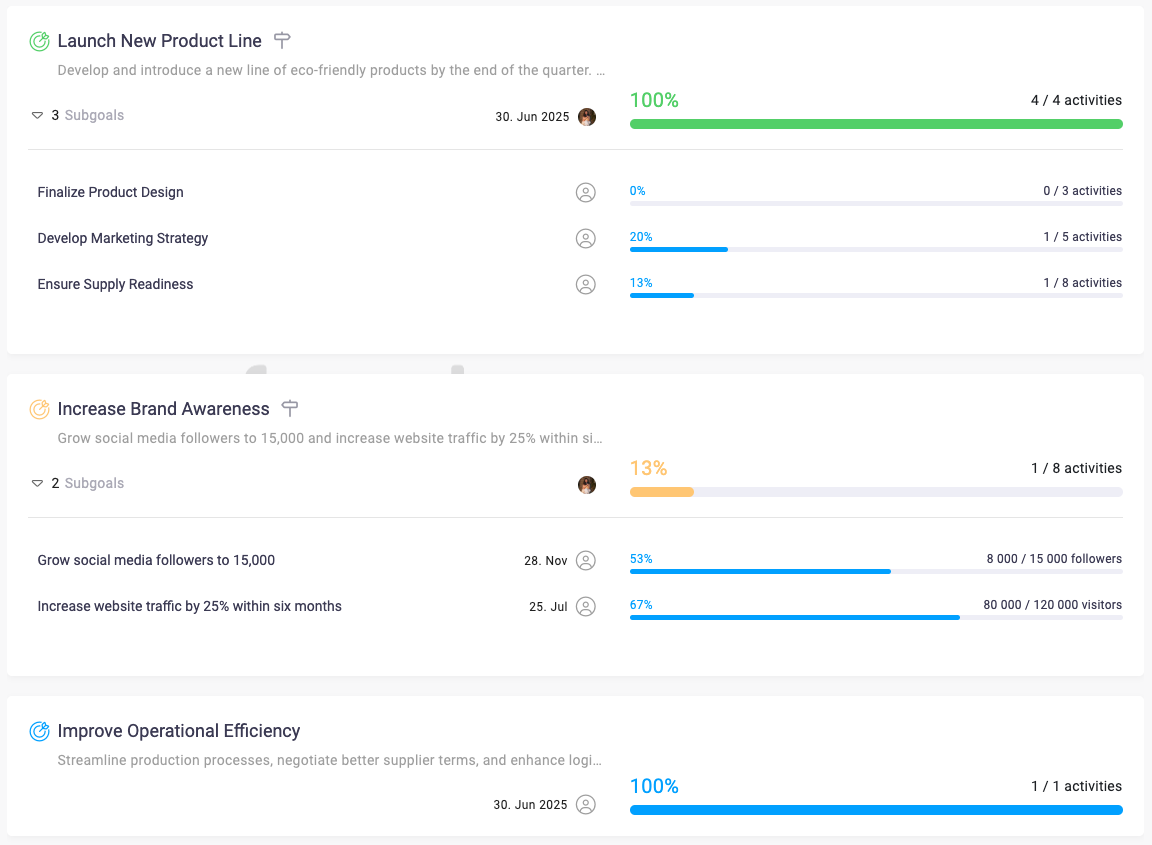
How to Work with Goals in Beenia
In Beenia, goal tracking is integrated with task management, making it easy to connect daily activities with long-term objectives.
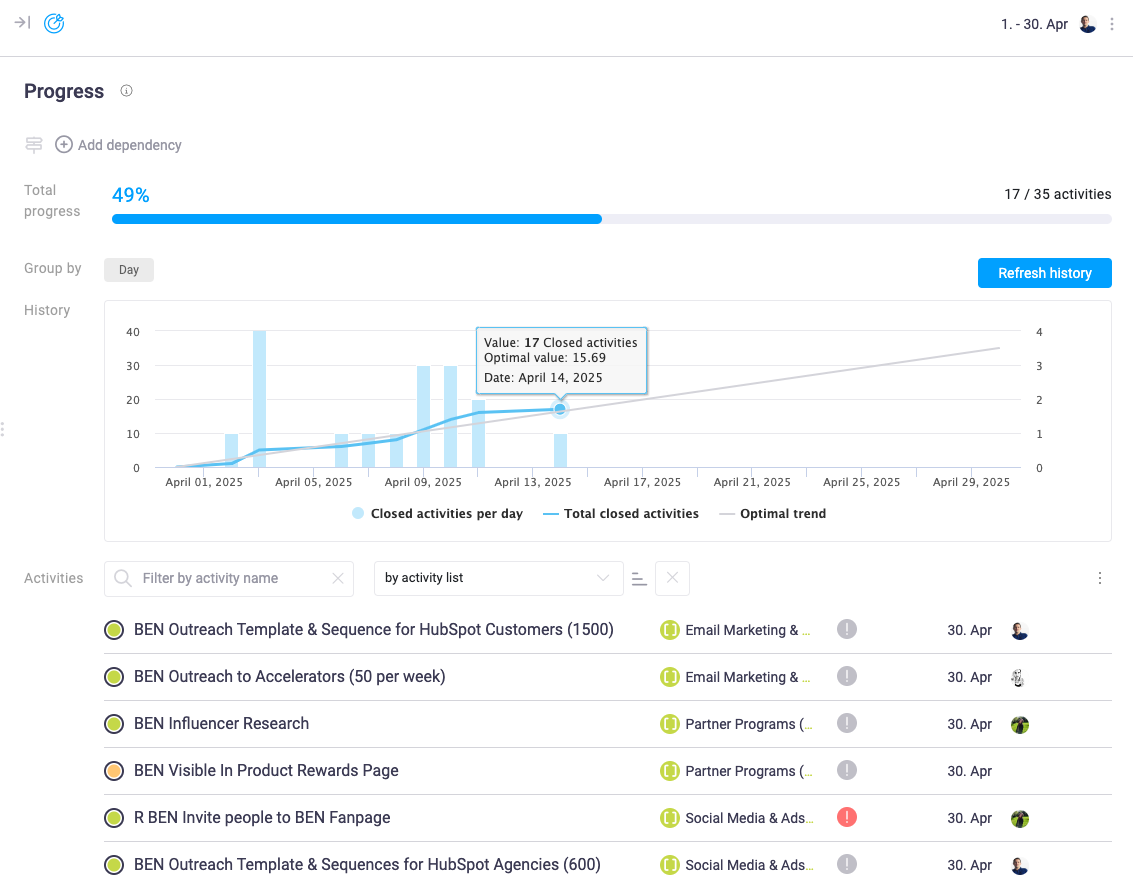
1️⃣ Create a Goal – Navigate to the Goals section and click "Add Goal." Give your goal a clear name, set a deadline, and define key performance indicators (KPIs) to measure success. Goals can be structured by department, project, or business initiative.

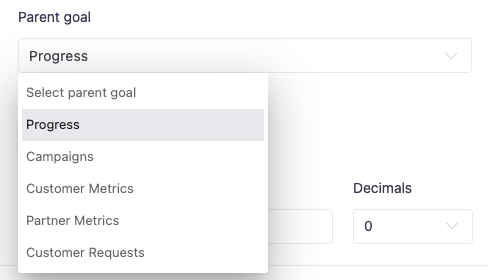
2️⃣ Use Parent & Subgoals – Large goals can be broken down into structured subgoals. Parent goals provide a high-level strategy, while subgoals keep execution manageable and clear.
3️⃣ Define Success Metrics – When creating a goal, you can track progress in two ways:
- By activities – Progress updates automatically based on completed tasks assigned to the goal.
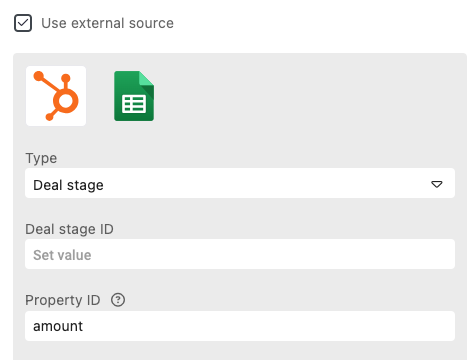
- By external data sources – Connect Beenia to HubSpot or Google Sheets to pull in real-time data updates. Just enable the integration, select your data source, and let Beenia automatically update goal metrics.
4️⃣ Link Activities to Goals – Tasks can be assigned manually, or you can use rule-based matching to automate this process. Define conditions, and Beenia will automatically categorize relevant tasks under the right goal.
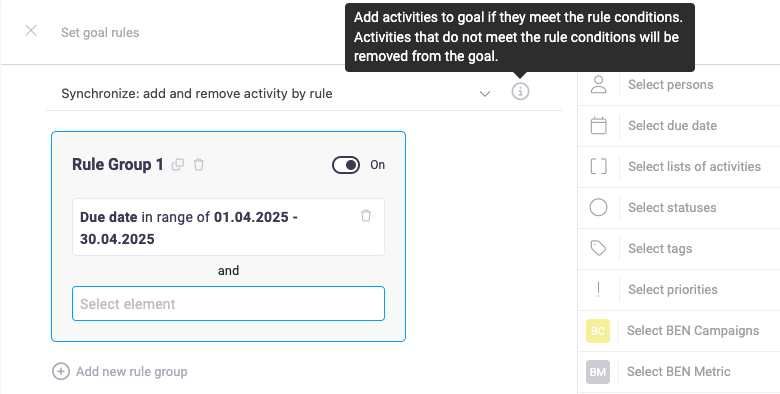
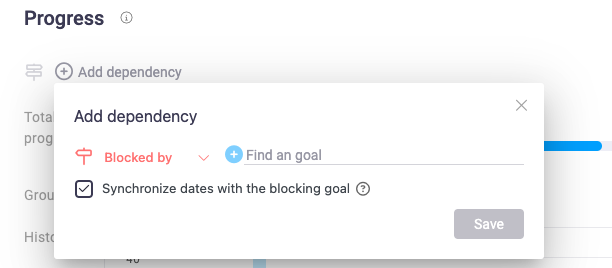
5️⃣ Set Goal Dependencies – Goals can be interlinked to show how one milestone affects another. Use Add Dependency to mark goals as “Blocked by” or “Blocking” other goals. Enabling date synchronization ensures that dependent goals automatically adjust their timelines.
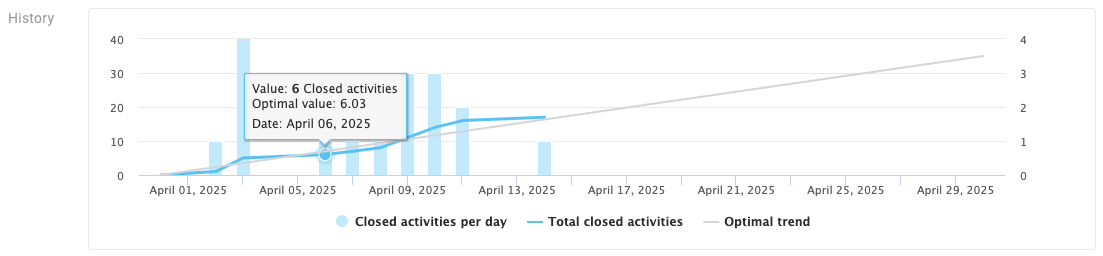
6️⃣ Monitor & Adjust – Beenia’s goal history graph visually tracks progress over time. Custom statuses such as "On Track," "At Risk," or "Completed" keep teams updated on goal health.
Optimizing Your Goals
To maximize Beenia’s goal-tracking features:
✔ Align goals with your overall business strategy.
✔ Regularly review progress and update priorities.
✔ Use real-time data insights to refine your approach.
With Beenia, goal tracking is no longer a manual process—it’s an intelligent, automated system that keeps your team on track and focused on success. Start defining your goals today and turn ambition into measurable results.