
Meetings in Beenia aren’t just calendar events; they are fully integrated with your goals and activities. This means you can:
✔ Create structured agendas to ensure productive discussions.
✔ Link meetings to tasks for clear follow-ups.
✔ Assign action items directly during the meeting.
✔ Store meeting notes and decisions in one place for easy reference.
How Beenia Meetings Work
1️⃣ Creating a Meeting – Use the global add button or navigate to the Meetings section in your workspace. Set the title, date, time, and participants.
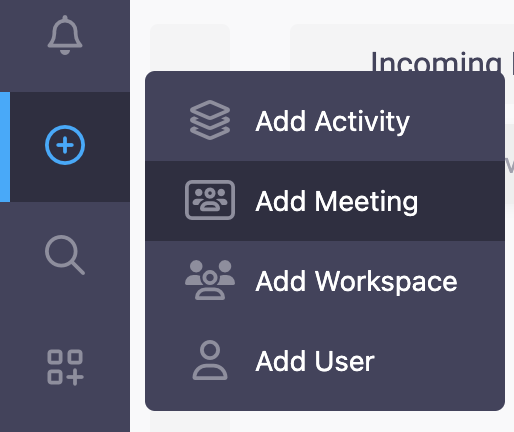
2️⃣ Setting the Agenda – Add key discussion points and attach related tasks or goals to keep the conversation focused.

3️⃣ Running the Meeting – Take notes, assign tasks, and update statuses in real-time—eliminating the need for external note-taking tools.

4️⃣ Post-Meeting Follow-Up – Action items are automatically stored, and participants receive notifications, ensuring nothing falls through the cracks.
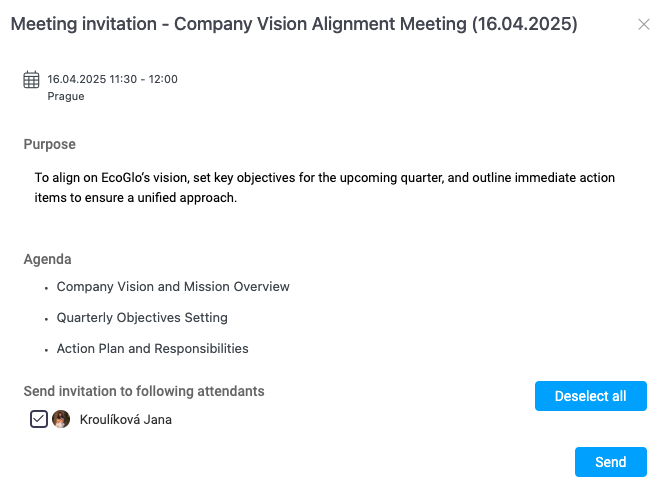
Seamless Collaboration
Beenia Meetings allow internal and external collaboration by enabling you to:
🔹 Embed online meeting links directly within your meeting details.
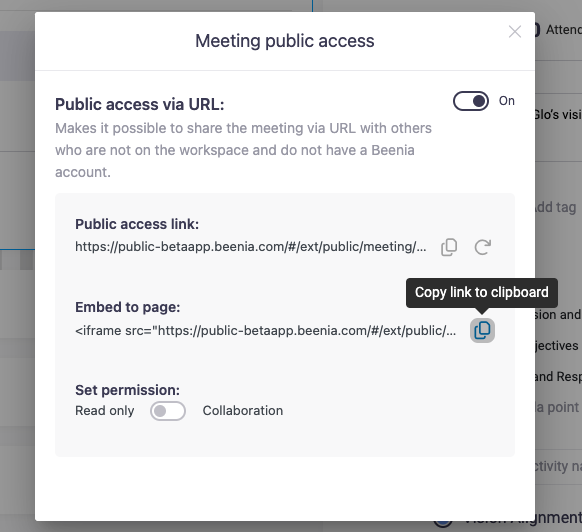
🔹 Share meeting information with team members or external stakeholders.
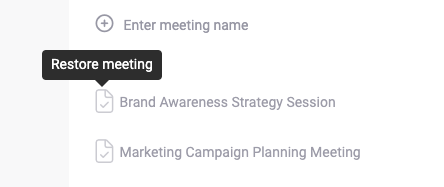
🔹 Track past meetings and revisit decisions anytime.
Boost Productivity with Beenia Meetings
By managing your meetings within Beenia, you streamline communication, minimize time waste, and ensure meetings lead to real action. Say goodbye to scattered notes and untracked decisions—every discussion in Beenia moves your team forward.