
Managing multiple tasks at once can be time-consuming, but with mass editing in Beenia, you can update multiple activities in just a few clicks. This feature is perfect for reassigning tasks, updating statuses, adjusting deadlines, or organizing large activity lists efficiently.
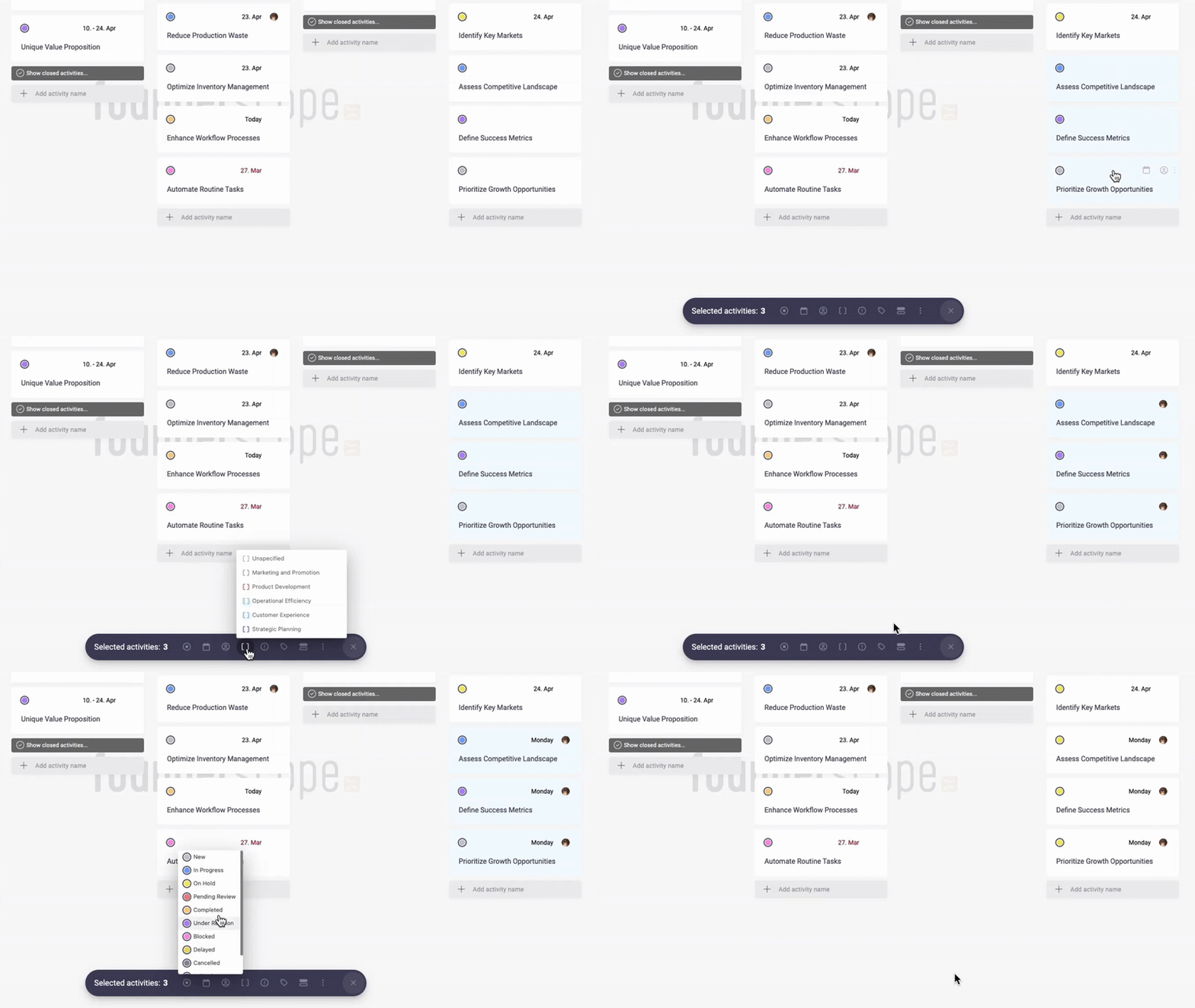
How to Use Mass Editing
- Select Multiple Activities – In list or board view, hold Ctrl (Windows) or Cmd (Mac) and click on the activities you want to update. Alternatively, use "Select All" to modify an entire list.
- Edit in Bulk – Once selected, use the action menu to change assignees, update due dates, assign activities to goals, modify statuses, or apply tags.
- Apply Changes Instantly – After making adjustments, confirm your edits, and all selected activities will be updated at once.
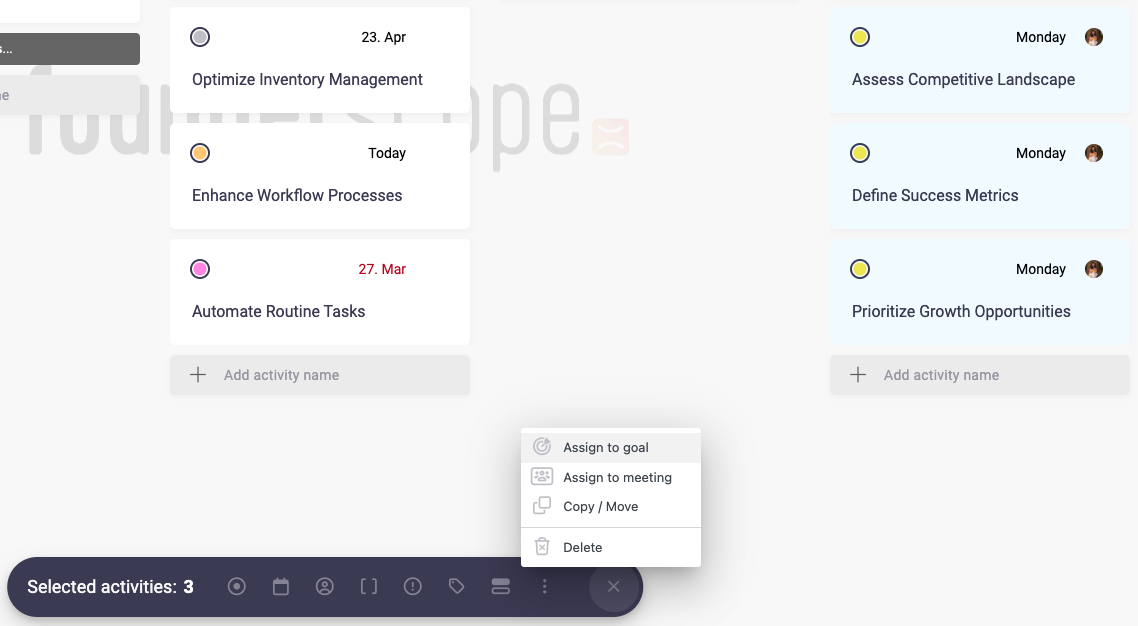
Key Benefits of Mass Editing
- Save Time – Instead of editing tasks one by one, update multiple activities in seconds.
- Stay Organized – Keep large projects structured by batch updating statuses or priorities.
- Improve Efficiency – Ensure consistency across tasks by applying the same labels, tags, or deadlines in bulk.
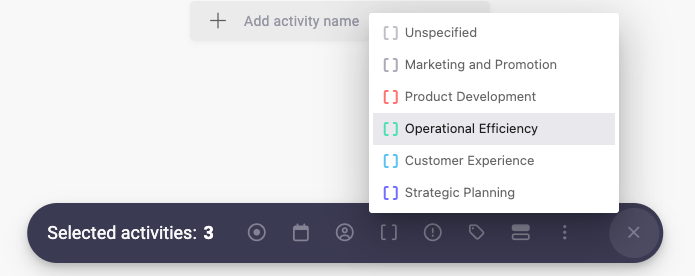
Best Practices
- Use mass editing to quickly close completed tasks and declutter your workspace.
- Regularly review and update priorities for ongoing projects.
- Combine mass editing with saved filters to focus on specific groups of activities, such as overdue tasks or high-priority assignments.
With mass editing, Beenia helps you manage large workloads effortlessly, keeping your team productive and your projects on track.