
Setting up your Beenia workspace effectively is the first step to creating a streamlined and productive environment for your team. By tailoring your workspace settings to fit your specific needs, you can save time, stay organized, and keep your team focused on what truly matters. Here’s how you can get the most out of Beenia’s customization features.
Start with Clarity
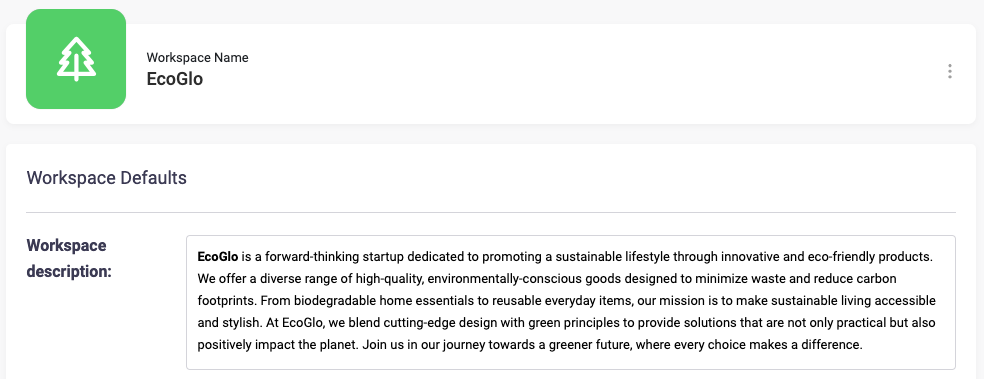
When naming your workspace, choose a title that immediately reflects its purpose. For example, if the workspace is dedicated to product development, a name like “Product Innovation Hub” will help team members instantly recognize its focus. Add a brief description to outline the workspace’s goals or key activities—it’s a simple way to keep everyone aligned.
Leverage Apps Wisely
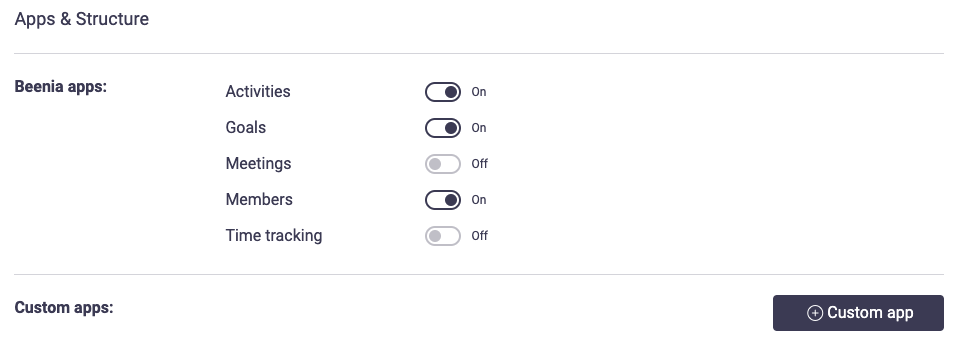
Beenia’s modular structure lets you activate only the apps you need. For most teams, enabling core apps like Goals, Activities, and Meetings is a great starting point. However, for specialized projects, consider adding custom apps to tailor the workspace further. For instance, if you’re running client onboarding, turning on Time Tracking can help monitor resource allocation, while deactivating unnecessary apps like Meetings can keep the interface clutter-free.
Streamline Activities Management
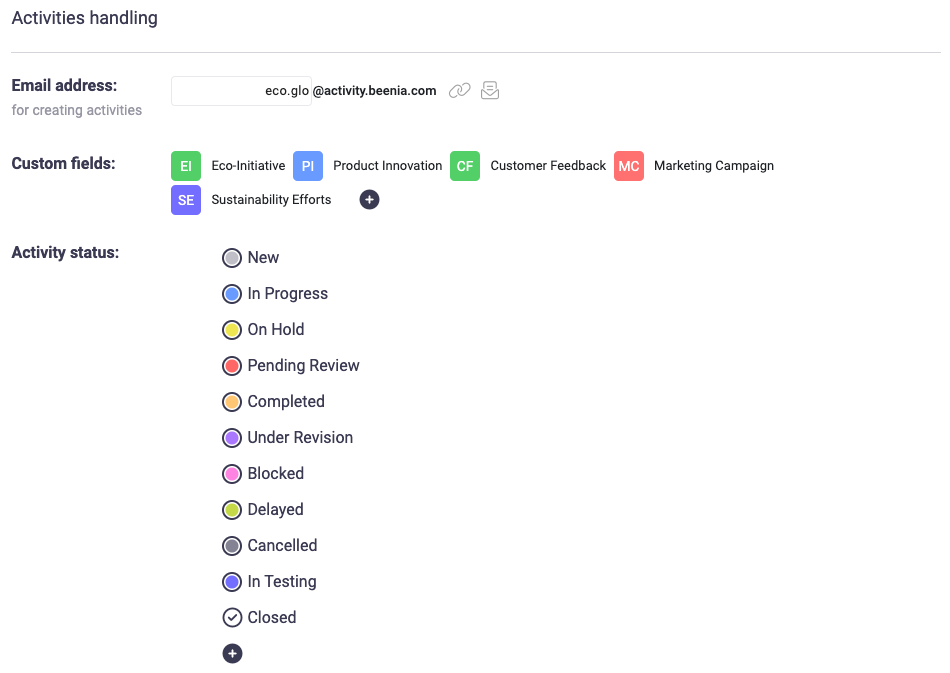
Set up custom fields for tasks to capture details specific to your workflow. For example, you might create fields for task priority, client names, or deadlines. Additionally, define activity statuses to reflect your progress stages, such as “In Progress,” “Awaiting Feedback,” or “Completed.” These small adjustments can make tracking tasks significantly easier.
Maximize Privacy and Collaboration
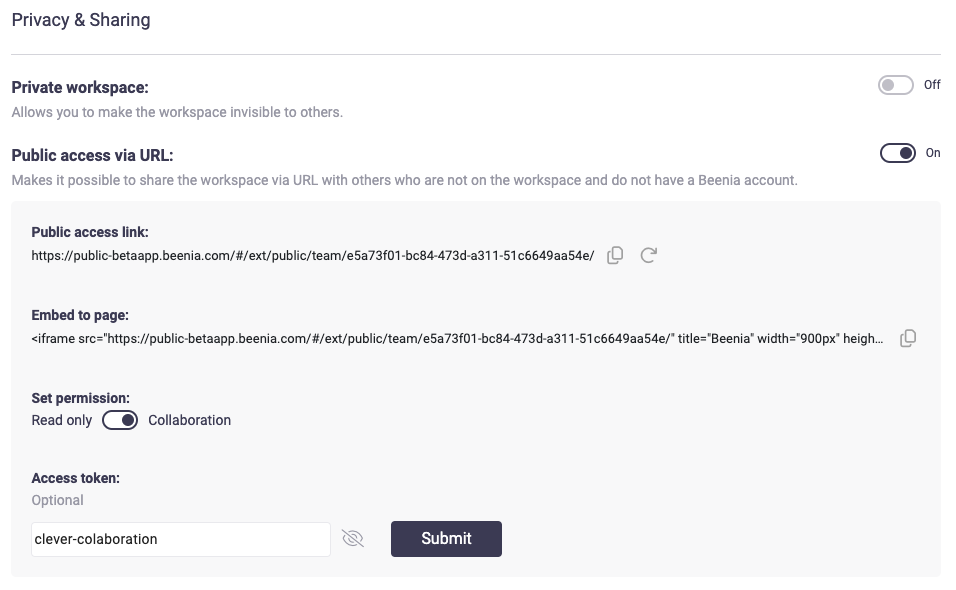
Decide upfront whether the workspace should be private or public. A private workspace ensures sensitive projects remain visible only to team members, while public access via a URL can be useful for external collaborations, like sharing progress with stakeholders. If you frequently work with external contributors, take advantage of the embed feature to integrate the workspace into an external page for seamless viewing and updates.
Set Clear Work Instructions
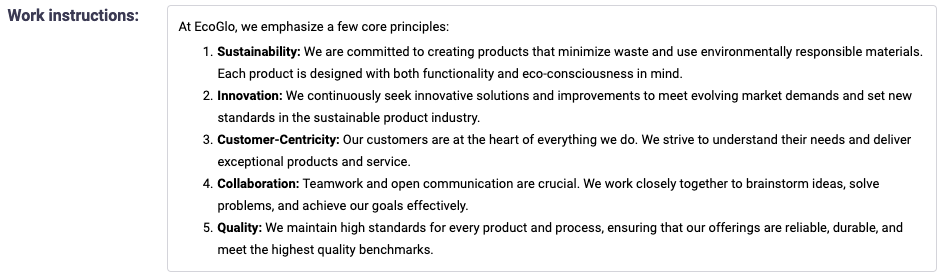
For complex projects, use the Work Instructions feature to document guidelines or processes. This is especially helpful for onboarding new team members or ensuring consistency across multiple workspaces. A quick checklist or key principles can go a long way in reducing misunderstandings.
Utilize Integrations
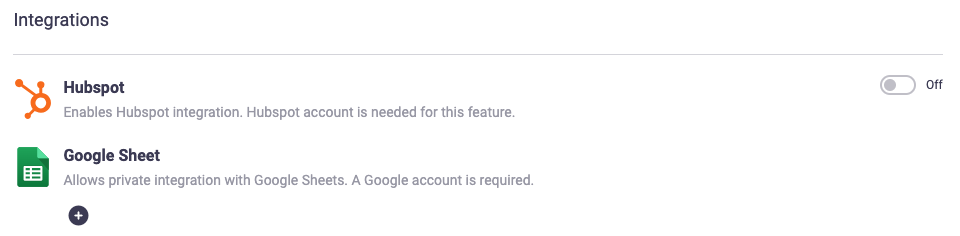
If your team uses tools like HubSpot, activating the integration can simplify goal tracking and data synchronization. This integration allows you to link external data sources directly to your workspace, ensuring that your progress statistics stay accurate and up-to-date without manual intervention.
Encourage Time Management
For projects with tight deadlines, setting a time budget can keep your team focused and efficient. You can adjust the time budget as the project evolves, providing flexibility while maintaining accountability.

Create a Clean Interface
Reordering or deactivating apps in your workspace can eliminate distractions and make navigation easier for your team. Think of this as decluttering your digital workspace—keeping only what’s essential at the forefront.
Practical Tips for Success
- Keep It Simple: Avoid overloading your workspace with unnecessary features; start with what you truly need.
- Review Settings Regularly: As projects and team needs evolve, revisit your settings to ensure they’re still aligned with your goals.
- Encourage Team Collaboration: Share saved views or workspace instructions to help everyone stay on the same page.
By thoughtfully configuring your Beenia workspace, you’ll create a powerful system that not only keeps your team organized but also fosters productivity and growth. Take advantage of the flexibility and make adjustments as your needs change—your team will thank you for it!