
There are multiple ways to invite new members to a team in Beenia. This guide explains how to add users via email invitations, account administration, and public access links.
Inviting Users via Team Members Tab

- Navigate to the Team Members tab.
- Click the Add Member button.
- Enter the user’s email address.
- The invited user will receive an email invitation to join the team.
Inviting Users via Account Administration
For more control, you can invite users via the Account Administration settings:
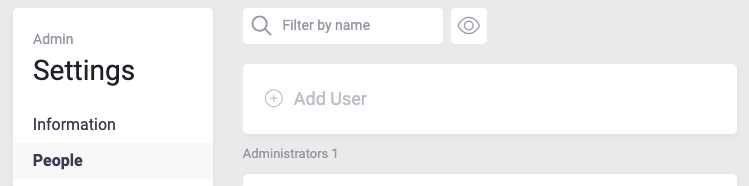
- Go to the People (Users) tab in account settings.
- Click Add User.
- Fill in the required details:
- Email – Enter the user's email address.
- Surname – Enter the user's last name.
- Name – Enter the user's first name.
- Add to Workspace – Select one or multiple workspaces to which the user should be added.
- Account Type – Choose from the following roles:
- Guest
- Member
- PRO
- Admin
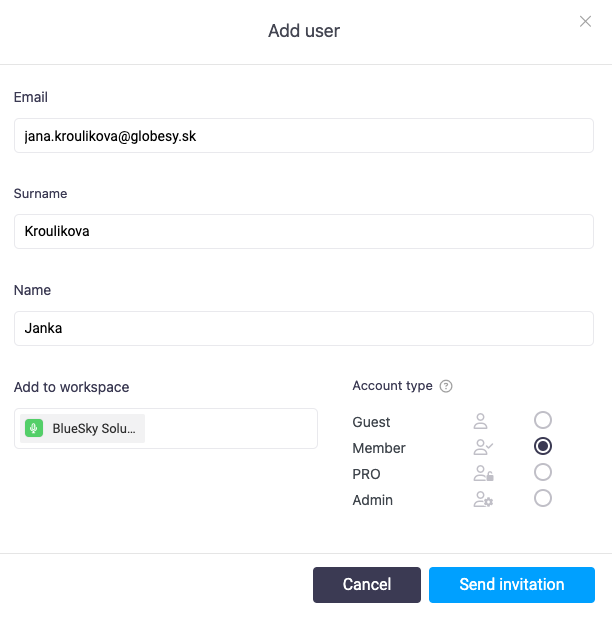
Then Click Send Invitation to complete the process.
This method allows you to invite users to multiple workspaces at once.
Inviting External Users via Public Access Link
If you want to collaborate with external users without requiring them to have a Beenia account, you can generate a public access link.
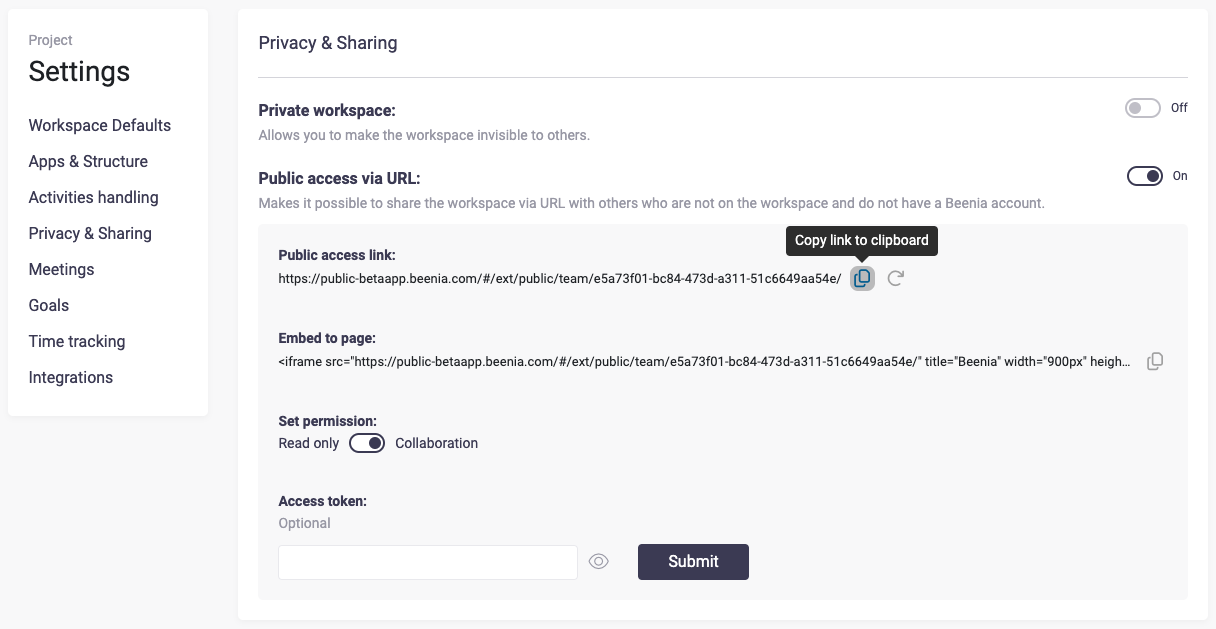
- Go to Project Settings (Workspace Settings).
- Open the Privacy & Sharing tab.
- Adjust the following settings:
- Private Workspace: Toggle off to make the workspace invisible to others.
- Public Access via URL: Toggle on to allow sharing via a public link.
- Public Access Link: A unique URL will be generated, which can be shared with external users.
- Embed to Page: You can embed the workspace into another page using an iframe:
Set Permissions:
- Read-Only: Users can only view the workspace.
- Collaboration: External users can actively participate.
Submit to save the settings.
By using these methods, you can seamlessly add new users to Beenia, whether they are internal team members or external collaborators. Choose the approach that best fits your needs.