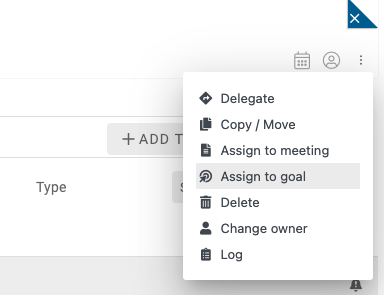
Goals tracking made easy.
HubSpot is one of the leading CRM systems in the world. Beenia is a collaboration system for teams with focus on growth acceleration.
By integrating Beenia with HubSpot you can use HubSpot data to track goals in Beenia in real time and tie goals to your activities. By tying activities to goals you will not only see how are you progressing in terms of goal achievement but you will also see which activities drive your goals forward.
How it works?
1. Activate the HubSpot integration
Navigate to settings of your project in Beenia and activate the HubSpot integration. You can connect one HubSpot account to each project.

2. Create goals and subgoals in Beenia
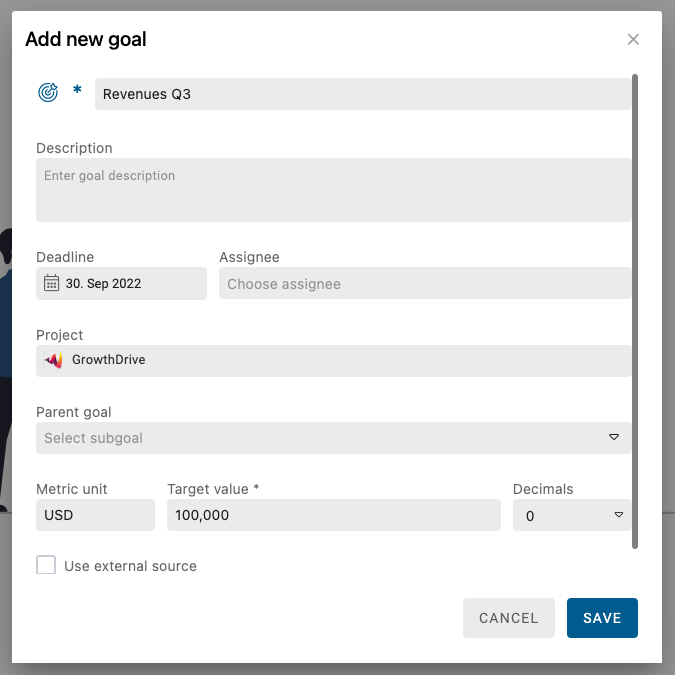
In Beenia you can create goals and subgoals. To create a goal navigate to goals section in your Beenia project and click on create goal. Give your goal a title, deadline, metric and target value.
3. Choose data source to track goal progress
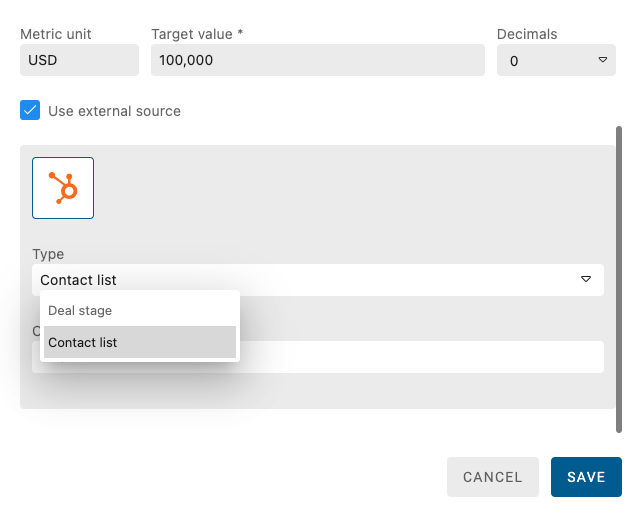
Track your goals in real time by using data from HubSpot. In goal settings click on "use external source" and choose which type of HubSpot data you would like to connect to your goal.
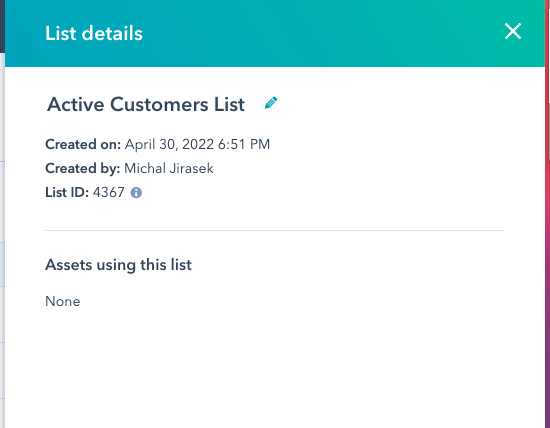
Currently you can choose data from contact lists or deal stages .Add the list ID or the deal stage ID to the next field.
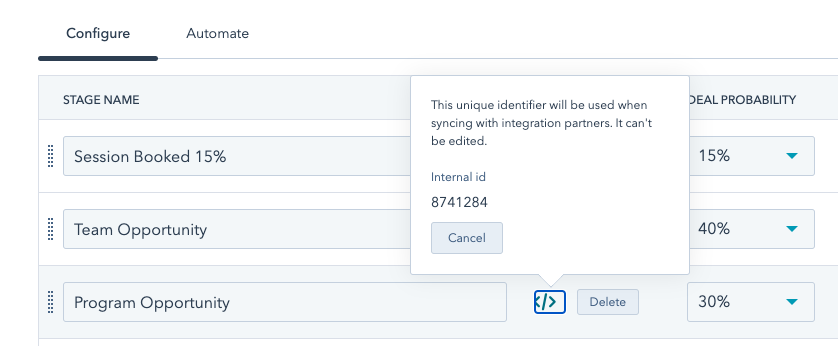
To get the ID of a deal stage navigate to HubSpot settings > objects > deals and pipelines. Then hover over the stage of interest and copy the internal ID.
To get the ID of a contact list navigate to lists and open the list details.
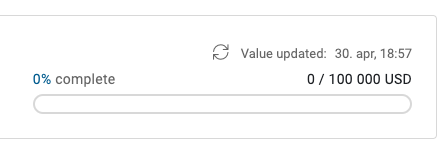
You will now be able to update your Beenia goals and pulling current data from HubSpot by clicking on the refresh icon.
4. Create activities and tie them to goals
Create activities in your Beenia project and tie them to your goals. In the goals section you will see which activities are supposed to drive which goal.