
Managing tasks via email can be chaotic, with important action items easily getting lost in long email threads. Beenia allows you to streamline this process by converting emails into actionable activities automatically. With a simple email forward, you can ensure that tasks from your inbox seamlessly integrate into your workflow.
How It Works
Each workspace in Beenia has a unique email address for creating activities. You can customize this email address to fit your needs. When you forward an email to this address, Beenia automatically creates a new activity:
- Email Subject → Activity Title
- Email Body → Activity Description
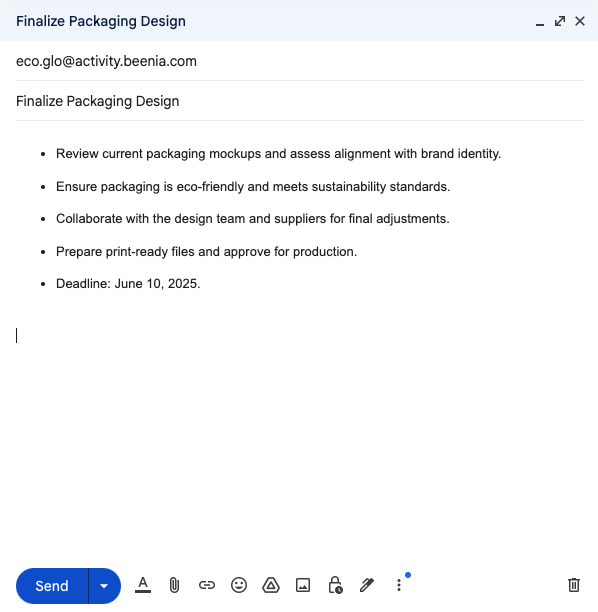
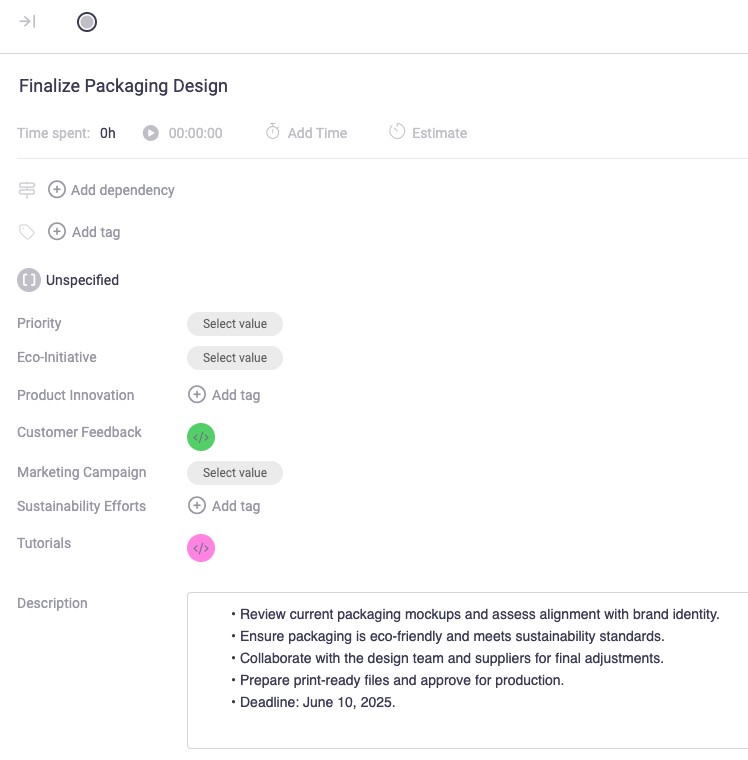
This eliminates the need to manually copy and paste information from your inbox into Beenia, keeping your workflow efficient and organized.
Setting Up Email Forwarding in Beenia
- Go to Workspace Settings - Click on the gear icon in the top-right corner of your Beenia workspace.

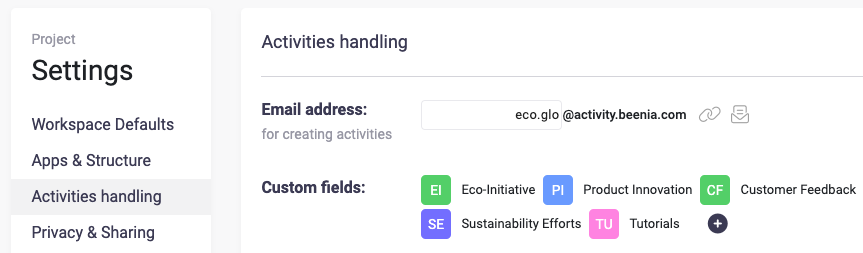
- Create the Email Address for Activity Creation - In the Activities Handling section, locate the "Email Address for Creating Activities" field.
- Set a unique email prefix (e.g.,
marketingtasks@activity.beenia.com). - Saved automatically - Use this address to send or forward emails, and Beenia will automatically convert them into activities.
Using Email Forwarding Effectively
- Turn emails into tasks instantly – No need to manually add tasks; simply forward important e-mails.
- Organize by workspace – Each Beenia workspace has a unique email, allowing you to direct tasks to the correct project.
- Delegate effortlessly – Forward emails to your team’s Beenia workspace for instant task assignment.
By setting up email forwarding, you can simplify your task management, ensure important action items never get lost, and keep your workflow structured—all within Beenia.