
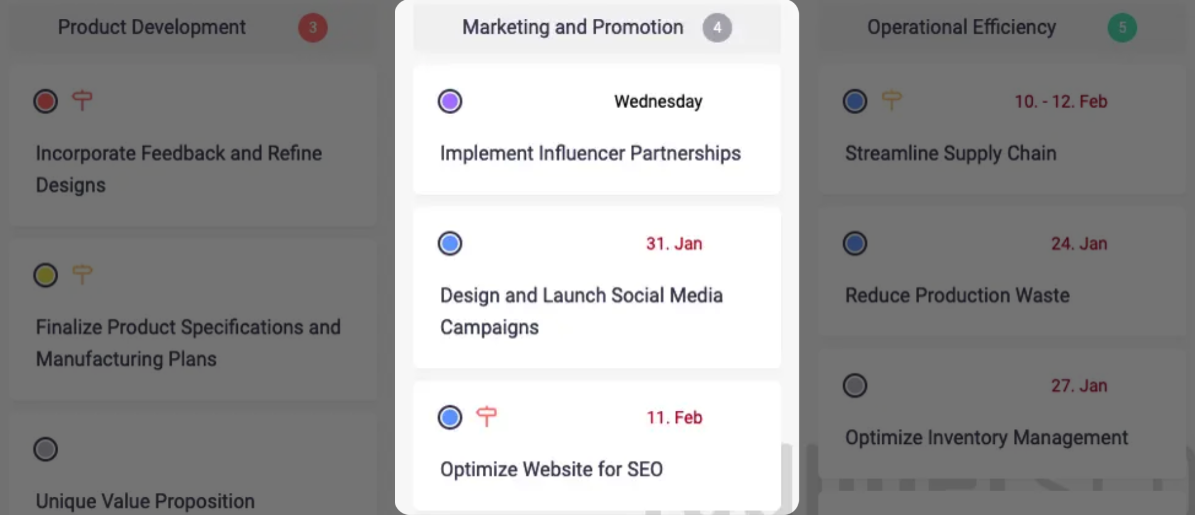
Managing activities effectively is essential for maintaining a clear and organized workflow. Beenia’s Activity Space is designed to provide a structured approach to handling tasks, ensuring they remain categorized and easy to track. To enhance organization, Beenia allows you to assign activities to custom-defined categories called Activity Lists—which function as columns in your workspace. These lists help segment your tasks in a way that aligns with your team’s processes, making work more transparent and manageable.
Creating and Using Activity Lists
Activity Lists in Beenia serve as customizable columns that help structure your tasks. To get started, navigate to your Activities section and organize your tasks into lists based on strategic needs. The way you name and structure these lists depends on your preferred workflow. For instance, you can create lists for:
- Project Phases: “Research,” “Design,” “Implementation,” “Testing”
- Task Status: “To Do,” “In Progress,” “Review,” “Completed”
- Departments: “Marketing,” “Development,” “Operations”
- Custom Fields: “Priority,” “Campaign Type,” “Task Type”
Predefined Sorting Options
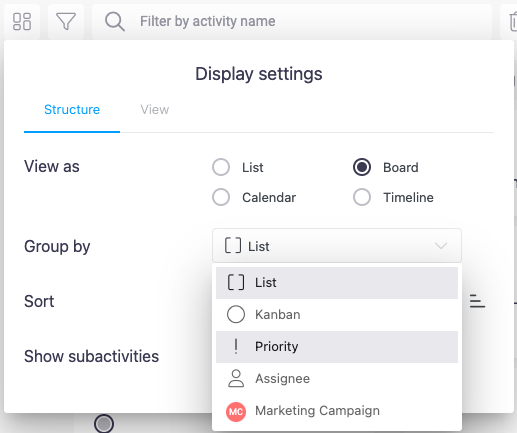
Instead of manually creating lists, Beenia also offers predefined categorization options to save time. You can apply these settings through the View Settings (gear icon in the top-left corner) and choose from:
- Assignee-Based Lists – Each team member gets a dedicated list displaying their assigned tasks.
- Status-Based Lists – Tasks are automatically grouped into standard progress stages (New, Plan, In Progress, Problem, Closed) or any custom statuses you define.
- Priority-Based Lists – Tasks are sorted into columns based on urgency (Low, Medium, High priority).
- Custom Field-Based Lists – If you’ve created a custom field with multiple selection values, you can use it to generate categorized lists automatically. For example, if you create a custom field called Marketing Campaign, with values such as “Social Media,” “Influencer Partnership,” and “Email Marketing,” Beenia will create separate columns for each value and assign relevant tasks accordingly.
Adjusting Your Activity View
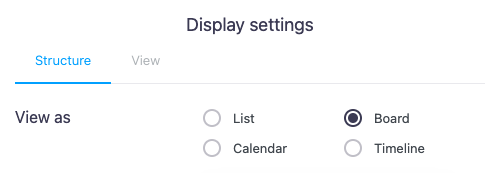
In View Settings, you can also switch between different visualization modes to suit your workflow:
- List View – A detailed list format for managing large sets of activities.
- Board View – A Kanban-style interface where tasks move between columns.
- Calendar View – A visual timeline displaying tasks by due date.
- Timeline View – A Gantt-style view, allowing you to schedule and track dependencies over time.
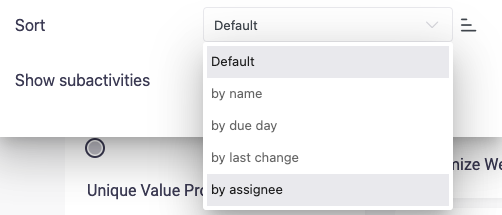
Additionally, you can refine how tasks are displayed within a list by sorting them based on:
- Name
- Due Date
- Last Change
- Assigned User
Customizing Activity Lists for Efficiency
Each Activity List includes additional options for improved workflow management. Click on the three-dot menu next to the list title to:
- Select All Tasks in a List – Perform bulk actions on all tasks within a list.
- Copy the List – Copy a list within the same workspace or to a different workspace.
- Change List Color – Visually distinguish between different lists.
- Mark the Entire List as Completed "Closed" – Useful for milestone-based workflows.
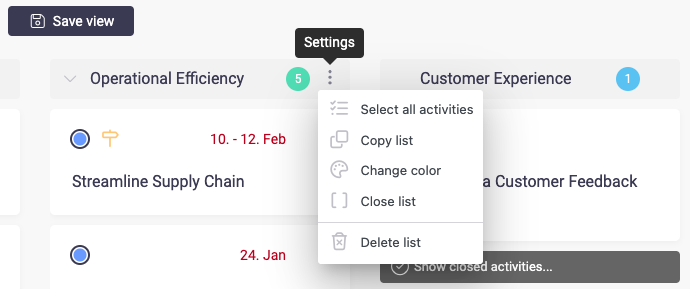
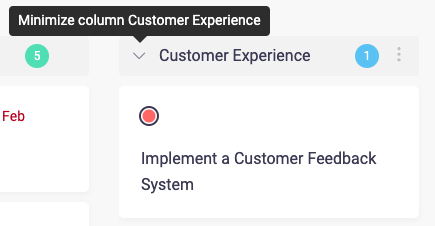
- Hide a List – Collapse it to reduce visual clutter when not in active use.
Drag-and-Drop Simplicity
With Beenia, organizing tasks is effortless. You can drag and drop:
- Individual tasks between lists to reflect progress.
- Entire lists to reorganize your workflow layout.
.gif)
This intuitive structure allows teams to visually track progress, manage workload efficiently, and maintain flexibility in their task management approach.
Final Thoughts
Activity Lists in Beenia transform task management from a cluttered mess into a structured and adaptable system. Whether you rely on predefined sorting options or create fully customized lists, this feature ensures that your workspace remains clear, structured, and optimized for productivity. By leveraging customizable views, sorting options, and intuitive drag-and-drop functionality, Beenia helps you and your team stay on track and focused on achieving your goals.