
Collaborating with External Users in Beenia
Seamless collaboration isn’t limited to just your internal team. With Beenia’s Non-User Collaboration, you can share tasks and meetings with external partners, clients, or stakeholders—without requiring them to create a Beenia account. This feature eliminates the need for scattered email updates and allows everyone to stay aligned in real time.
How to Enable Public Collaboration
Before sharing activities externally, workspace admins need to activate public sharing:
- Go to Workspace Settings – Click the gear icon in the top right corner.
- Navigate to Privacy & Sharing – Enable Public Access via URL to allow external collaboration.
- Set Permissions – Choose between read-only access or full collaboration, depending on what level of interaction you want to allow.
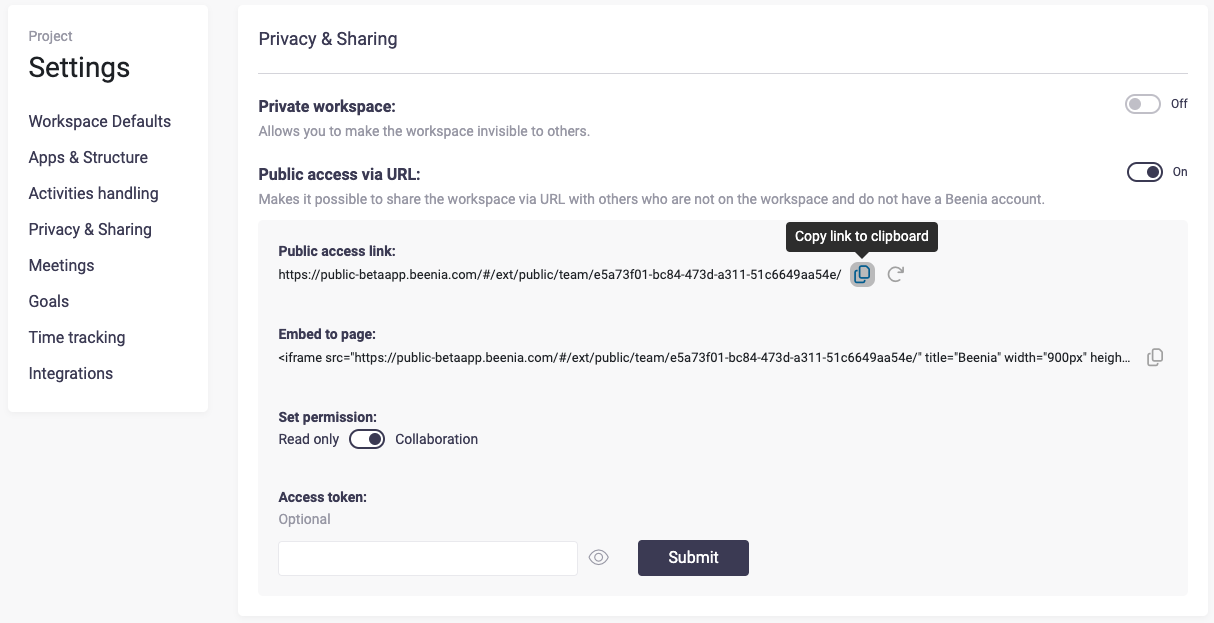
Once enabled, you can share individual tasks, meetings, or even entire boards with external users.
Sharing Activities & Meetings
To share a specific activity or meeting:
- Open the activity or meeting you want to share.
- Click on the three-dot menu in the top-right corner.
- Select “Public Access” and enable the sharing toggle.
- Copy the generated link and send it to your external collaborators.
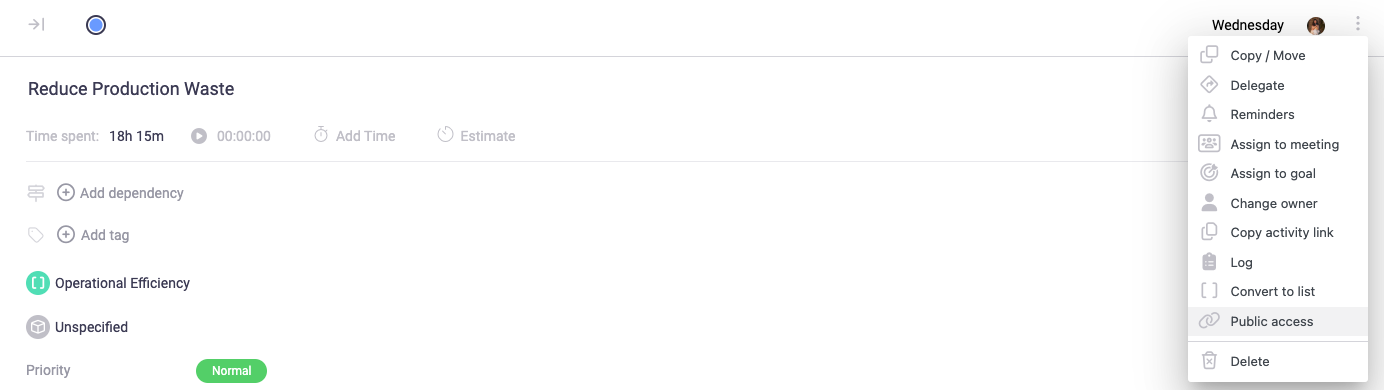
Now, anyone with the link can view details, custom fields, subtasks, and comments directly from their browser—no login required.
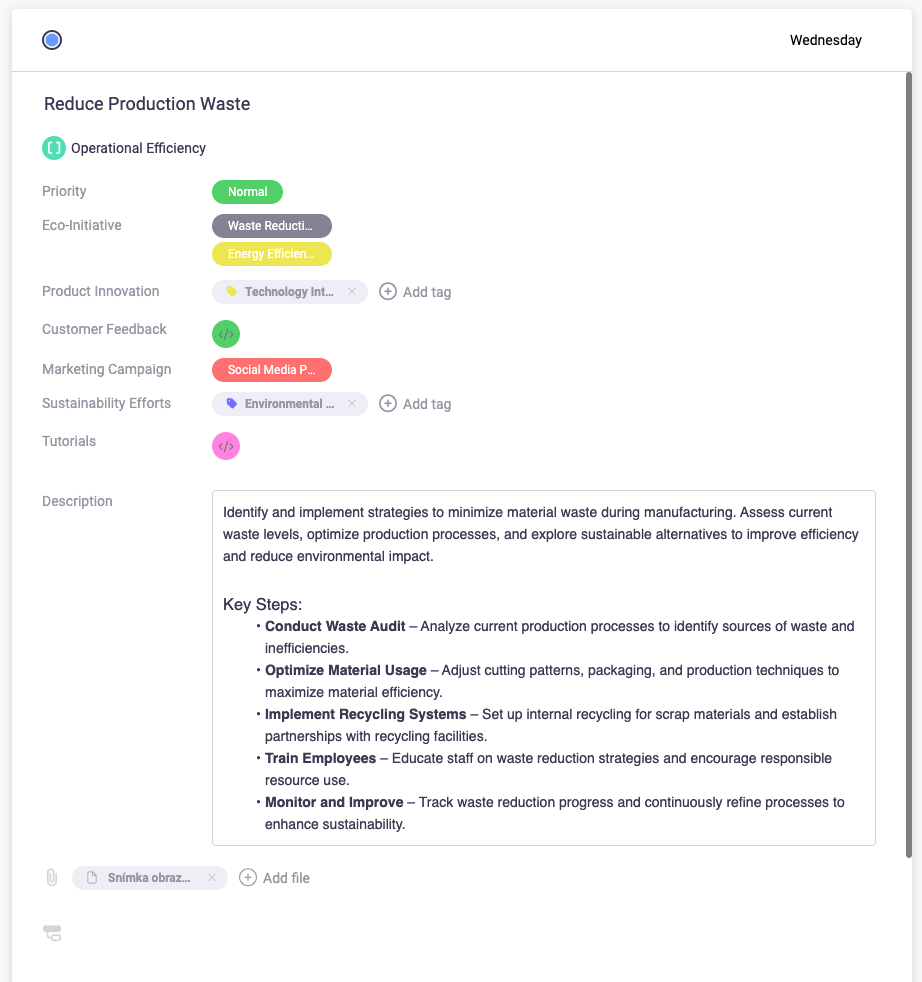
Guest Editing & Contributions
For more interactive collaboration, external users can sign in as a guest using their name and email. This allows them to:
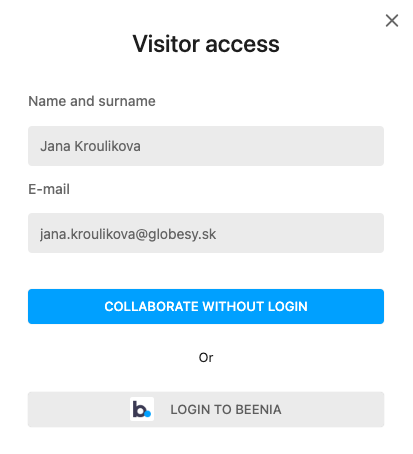
✅ Update statuses
✅ Change priority
✅ Edit name
✅ Edit description
✅ Change Custom Fields
✅ Add attachments
✅ Change List
✅ Add comments and feedback
This is especially useful for client approvals, outsourced projects, and shared checklists, such as onboarding processes with pre-filled subtasks and instructional videos.
Best Use Cases for Public Collaboration
🔹 Client Workflows – Share project progress, receive approvals, and keep communication centralized.
🔹 Freelancers & Contractors – Assign tasks and track progress without requiring them to join your internal system.
🔹 Mentorship & Training – Provide structured tasks with learning resources, checklists, and progress tracking.
🔹 Cross-Company Collaboration – Work with partners and stakeholders without the hassle of account creation.
By enabling Non-User Collaboration, Beenia makes it easier to work efficiently with external teams, keeping everything transparent, organized, and up to date. Try it today and streamline your collaboration efforts. 🚀