
Managing your Beenia subscription is simple and flexible. To access your billing settings, click on your profile icon in the top-right corner of the Beenia dashboard and select Administration. Then, navigate to the Billing tab.
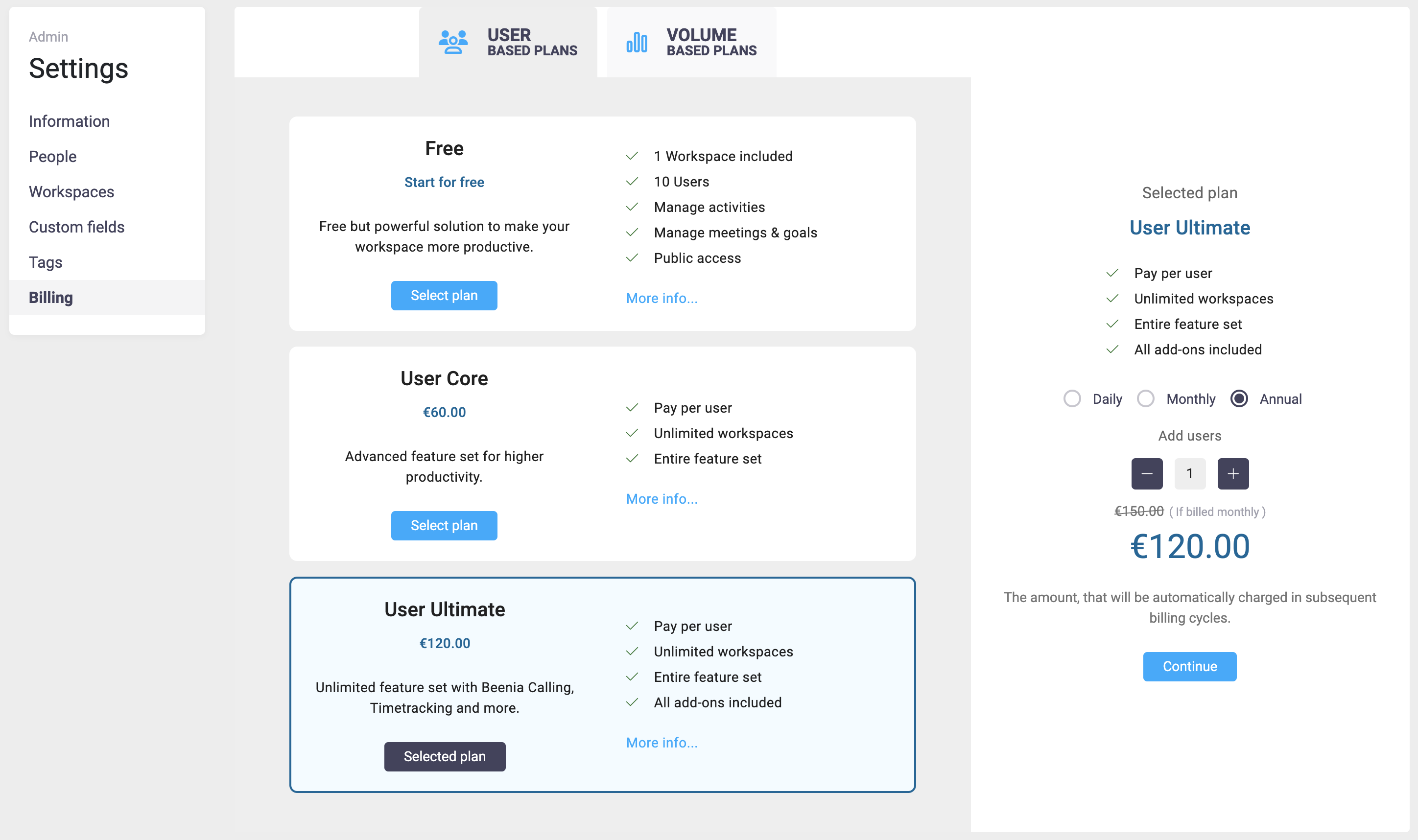
Here, you can:
- View your current subscription plan.
- Upgrade or change your plan at any time.
- Choose between monthly or annual billing cycles.
- Apply discount coupons if available.
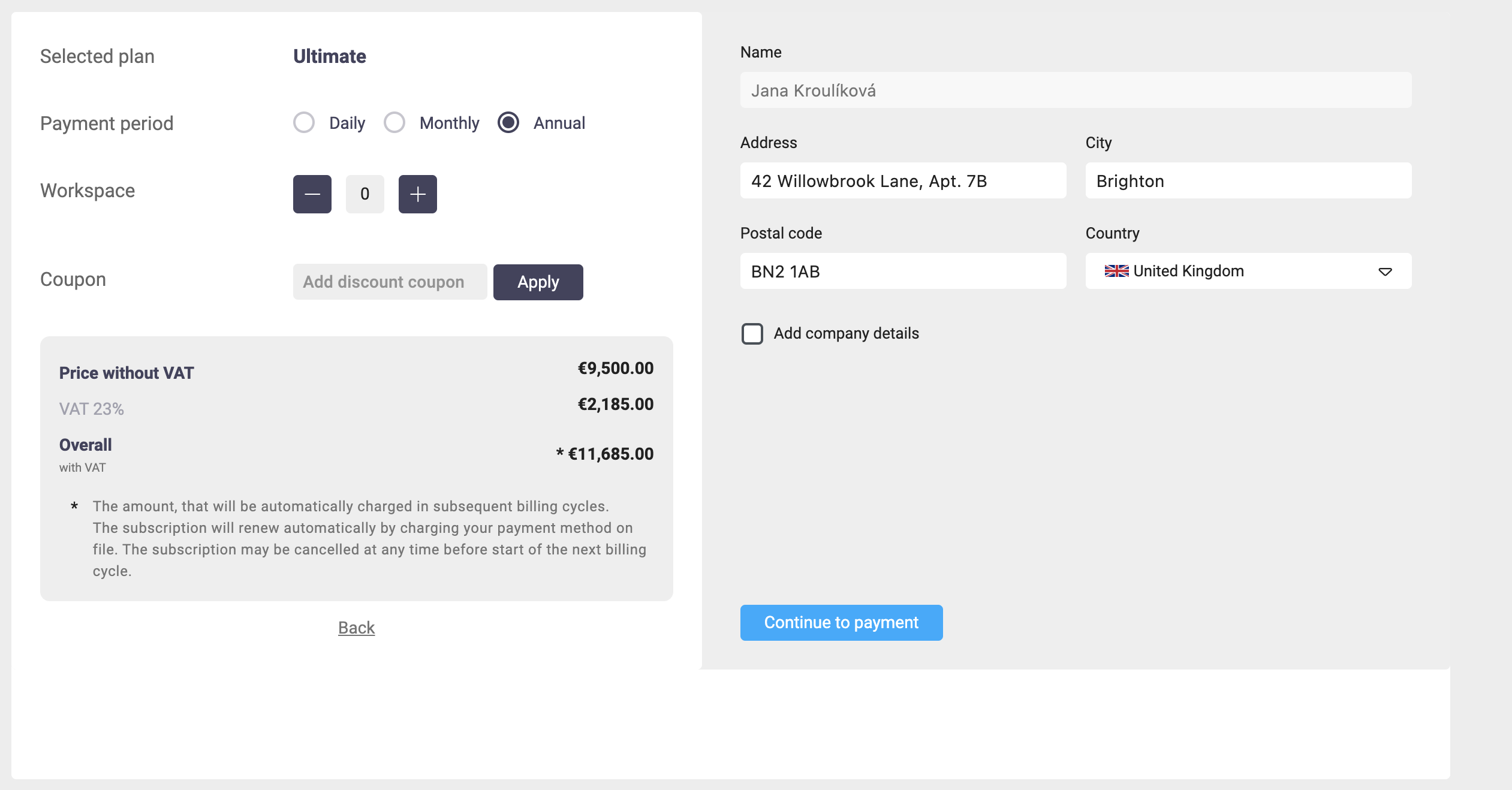
Updating Payment and Billing Information
In the billing section, you can enter your billing details, including name, address, and company information. Payments are securely processed via Stripe, ensuring a seamless and safe transaction.
👉 More information about Stripe
Subscription Renewal & Cancellation
Your subscription automatically renews at the end of each billing cycle using your selected payment method. If needed, you can cancel at any time before the next cycle starts to avoid automatic charges.
For full control over your Beenia subscription, visit the Billing section in Administration and manage your payments effortlessly.